

Posted
Hello !
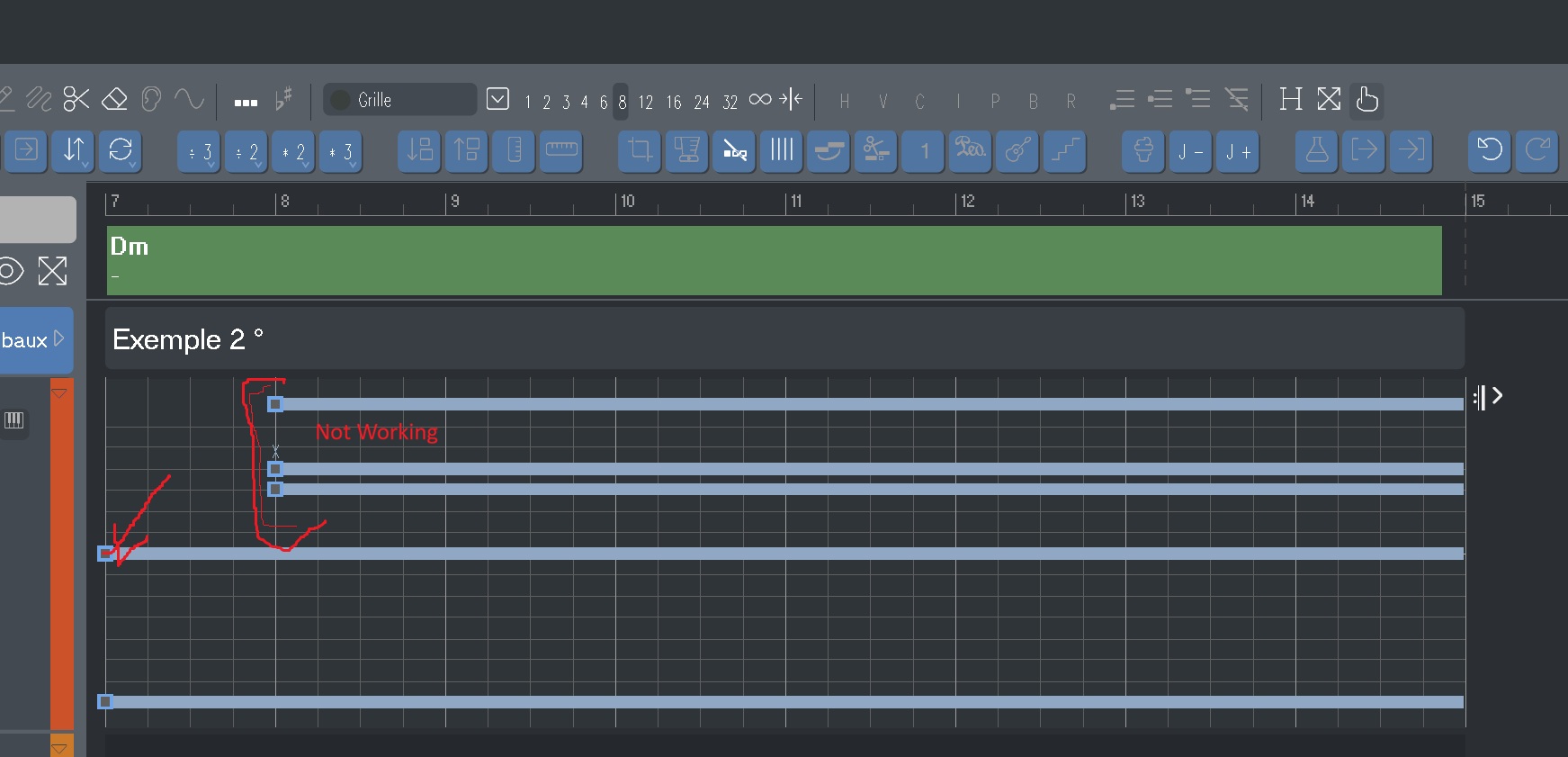
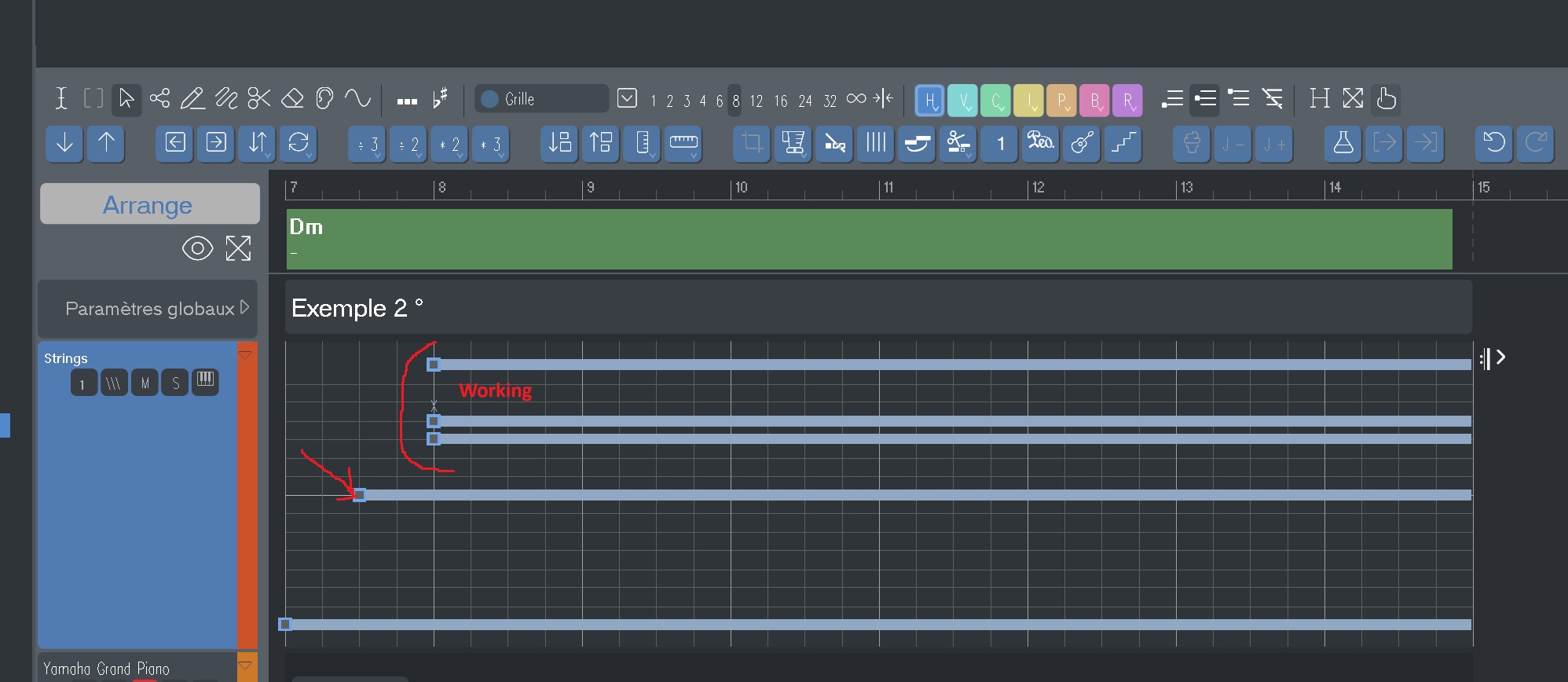
I have 5 notes, the top three of which are shifted to the right.
When I play the part, I only hear the bottom two notes; the top three are inaudible.
If I shift the fourth note slightly to the right, then all the notes are audible.
What should I do?
See the images.
Thank you for your help.

Sa., 13.12.2025 - 20:53 Permalink
❌ Not as Audio FX in Synfire
midi channel ?
expression/modwheel on 0
audio interface : same sample rate
Check:
- OPUS Main Out → DAW Stereo Out / Master
In the OPUS mixer:
- Instrument → Output: Main
In the Synfire (mixer)
- OPUS channel is not muted
- Volume is turned up

Sa., 13.12.2025 - 23:02 Permalink
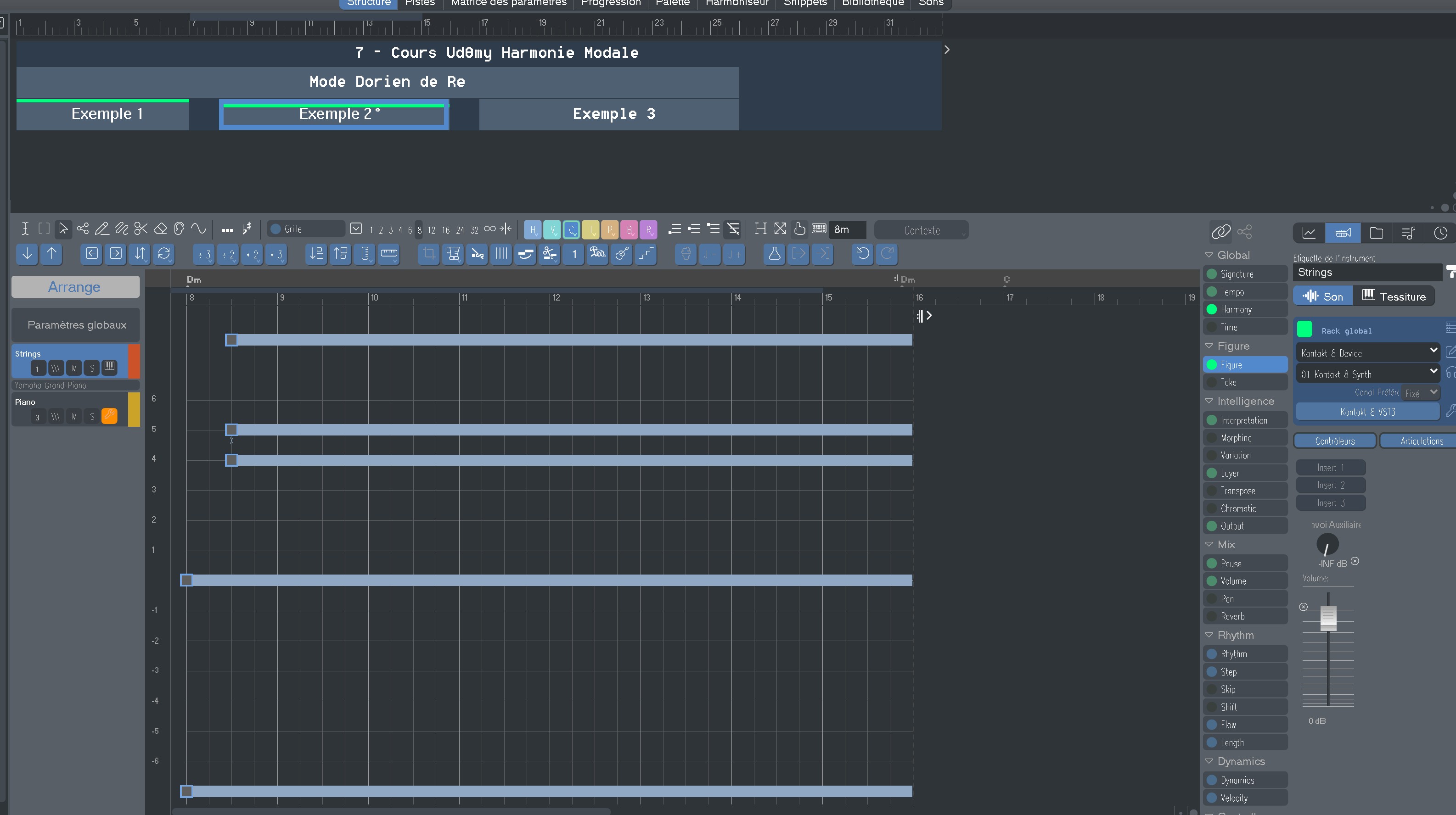
This could also be playing ranges that exceed the sounds's total pitch range. Happens often with orchestral instruments that have limited ranges. Check the sounds ranges

So., 14.12.2025 - 09:37 Permalink
It's difficult to tell from the screenshots alone.
Long notes won't play if their anchor is not playing, no matter how long the tail is. Sometimes an anchor is obstructed by another Figure in a child container, a Pause parameter, a ducking segment on another track for the same instrument, etc.
Do the notes play if you cut them short?
Mo., 15.12.2025 - 08:57 Permalink
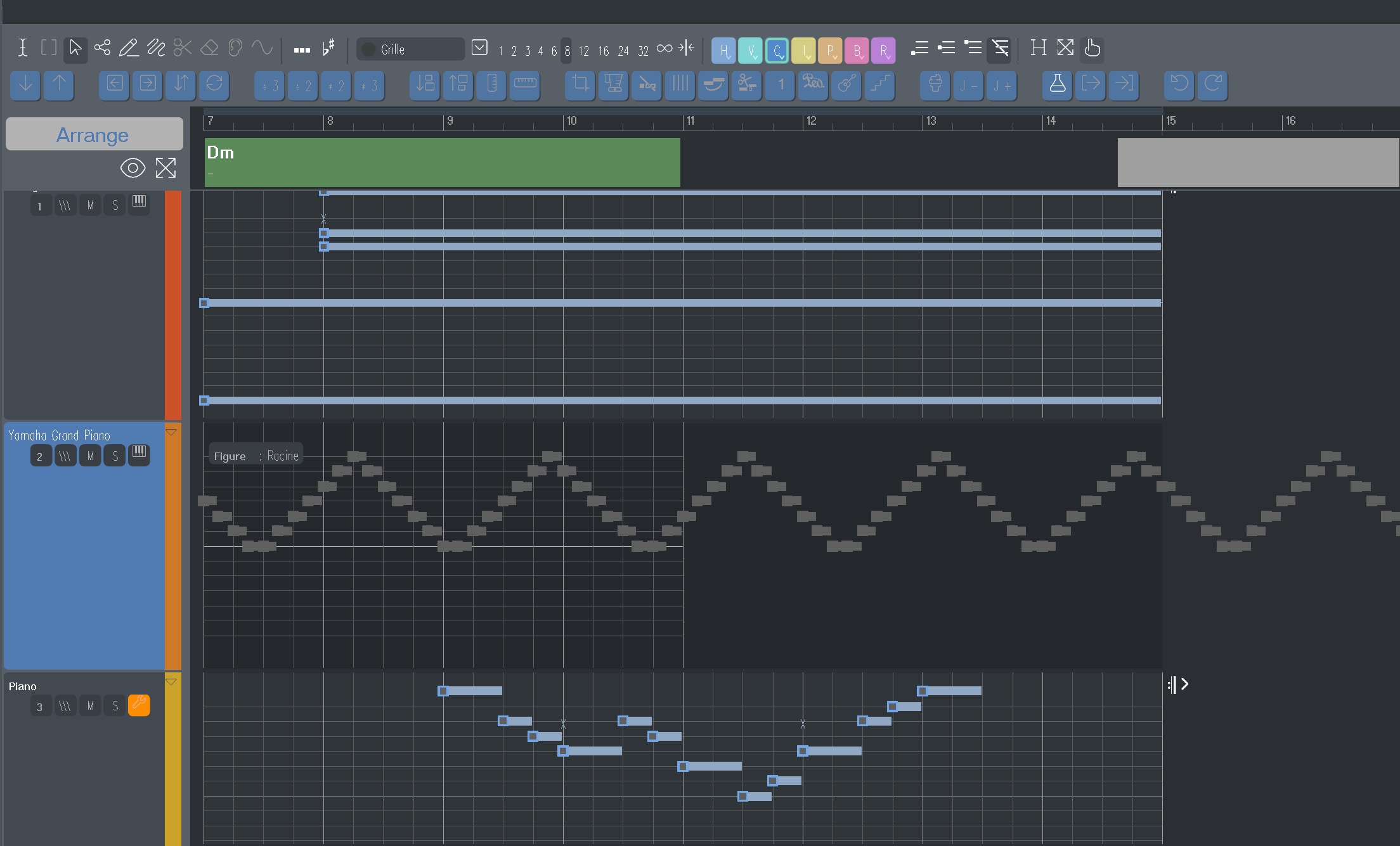
If multiple instruments (tracks) go to the same sound (MIDI port and channel), only one note can ultimately survive at the same point in time and pitch. Here it seems the other track replaced the long notes with shorter ones.
Synfire should actually merge the notes into one, but that only works if they are exactly at the same position. It is likely that the short note comes shortly after the long note and that sends a NOTEOFF message that kills the long note. MIDI can't have nested notes on the same pitch.
Mo., 20.04.2026 - 15:48 Permalink
I'm taking courses at the Polyphonies School.
Here's the link to my school:
Cours en ligne de composition et d'écriture musicale - Ecole Polyphonies
It requires a lot of work.
For now, I'm not using Synfire Pro.
Soon I'll be better trained and knowledgeable enough to use it effectively.
I'm keeping it handy, and I'll definitely use it during the school holidays.
Thanks for following me, and see you soon with Synfire!