

Posted
Hi.
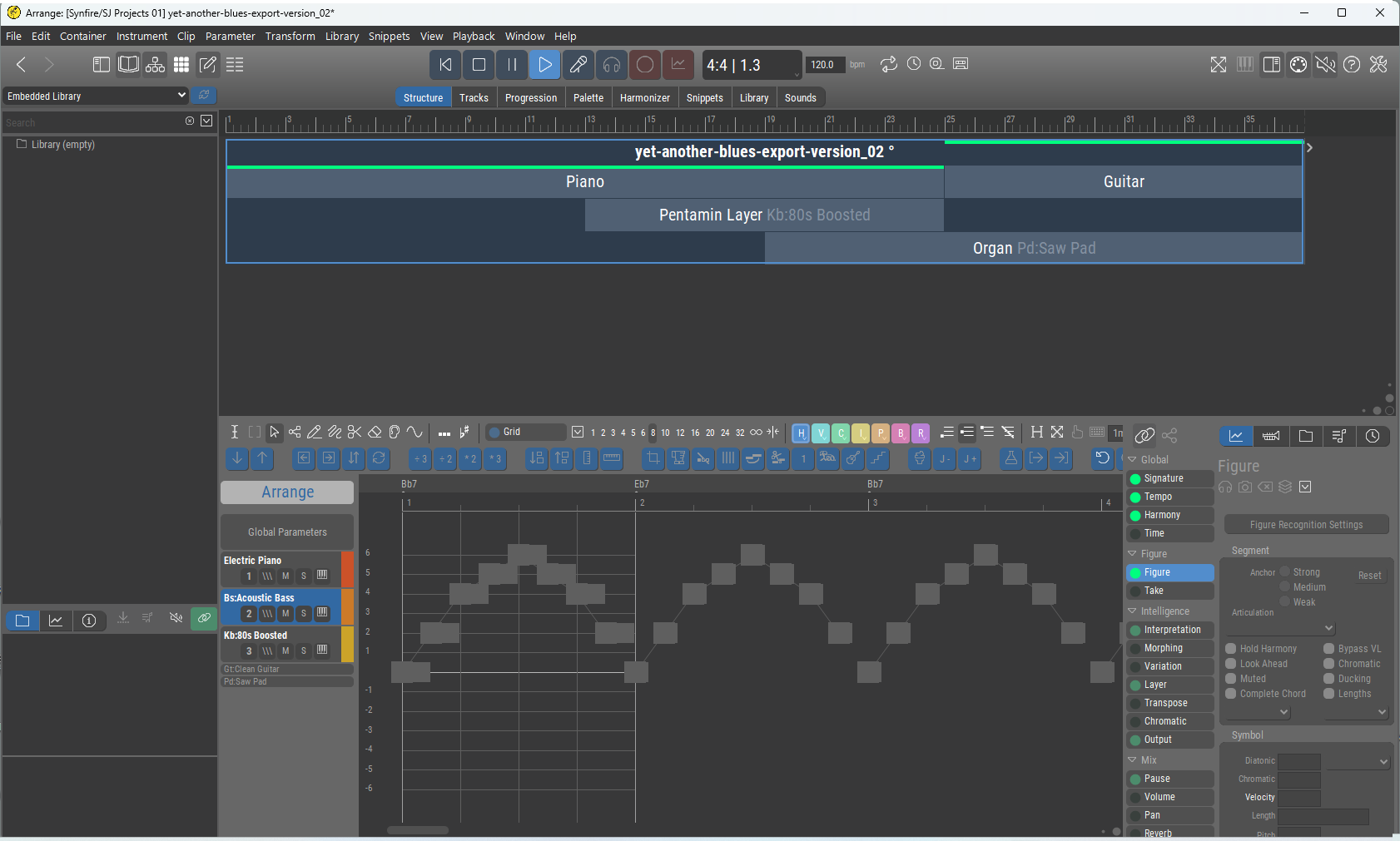
I'm looking at a Figure display and it is greyed-out. I don't understand why, or how to make it colored/editable again from here.
If I drag the Figure parameter and drop it on a snippet cell, I get the picture I expect:
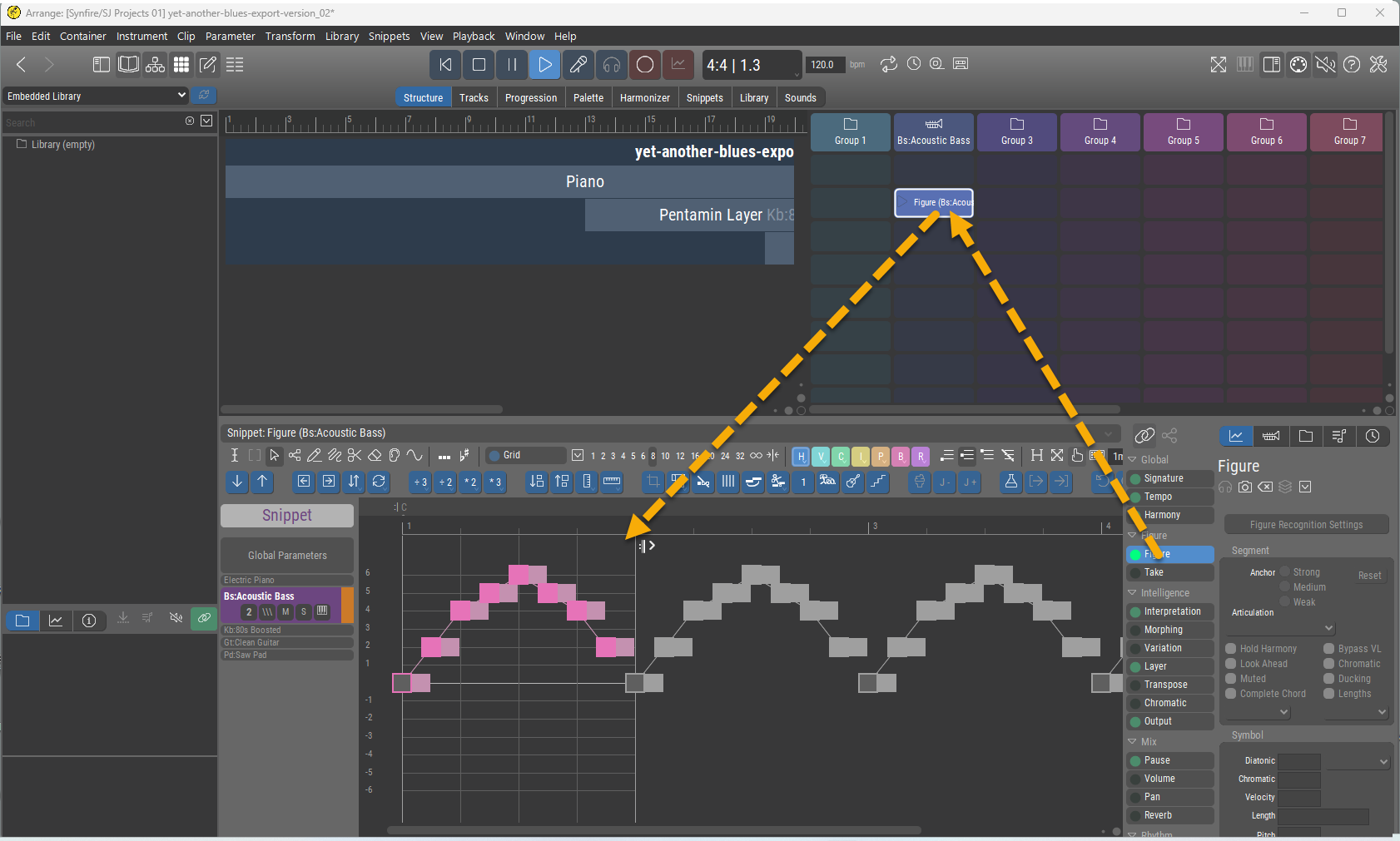
Why am I not seeing the same on the Structure page in the first place?


So., 21.12.2025 - 22:08 Permalink
Why am I not seeing the same on the Structure page in the first place?
Because from the perspective of the root contaner, which you have selected, the figure is replaced by the figure in the child container. Select the child container where the active figure is stored and it will turn magenta.
Move the child container to the right and the figure in root will be replaced only partially (just as a test)
So., 21.12.2025 - 22:10 Permalink
View >> Parameter Hints can be helpful. Some hints are only shown in the clip/phrase editor though
So., 21.12.2025 - 22:19 Permalink
This is the .cognac file that HiEnergy posted here:
https://users.cognitone.com/topic/blues-harmony-synfire
All the above sounds plausible, but it doesn't seem to apply and I'm not sure it is what's going on here.
This Arr has Figures in the root. They do not show up on the Structure page. They do show up on the Tracks page (in color).
I do not understand how to edit them (in color). The relationship to the editor does not seem "normal".
To me it's still very mysterious!
So., 21.12.2025 - 22:45 Permalink
It may seem mysterious, but if you go to the Tracks screen, you will see exactly the repeats that are in grey colour from the real phrase.
With the Hints option parameter enabled, the Yamaha Grand Piano is in the root container.
When you open the Yamaha Grand piano track and the root container figure parameter shows all grey symbols,
There is a piano container, but the figure is in the root container, so what is the function of this container?
Is this strange?, yes
So., 21.12.2025 - 22:47 Permalink
Remove all containers and the phrases in root are still gray!! Spooky
So., 21.12.2025 - 22:55 Permalink
If you drag the phrases to a new arrangement all is fine. HiEnergy, how did you catch theses ghosts?



Mo., 22.12.2025 - 08:14 Permalink
Just read about the misery with the file I uploaded. I will re-upload it without checking the "lock" checkmark.
I ticked that box by habit when publishing an arrangement file. Will abstain from using that feature from now on.
Glad to have uncovered a legacy "mis-feature" of Synfire, though.
EDIT: File re-uploaded (unprotected this time) in https://users.cognitone.com/comment/27245#comment-27245
Mo., 22.12.2025 - 14:29 Permalink
Nice of you to repost, HiEnergy. Thanks!
I'm glad to have learned that a lock feature exists. I can see the utility of it.
I would only suggest that LOCKED/UNLOCKED status should be an obvious thing, unmissable, because obviously the entire behavior of the program differs whether LOCKED or UNLOCKED.
Mo., 22.12.2025 - 21:31 Permalink
No question. It needs to be absolutely obvious or removed. Original intention was to be able to publish arrangements that can't be (accidentally) modified. But if everything looks gray that's not helpful. This is an unintended side effect of a general rule that displays read-only parameters in gray.