

Posted
Hi,
I am now getting this message very often when I go to exit/Discard a project:
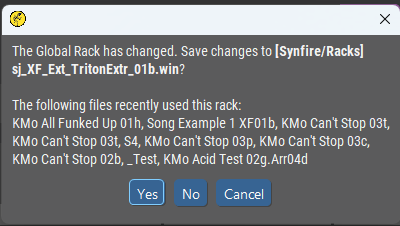
During the session, I did nothing at all to the Global Rack, so why am I being told it has changed?
Changed from what? to what?
It seems as if this message is being erroneously triggered.


Thu, 2025-02-20 - 18:30 Permalink
Something you are not aware of has changed and marked the rack as dirty. Playing ranges of a global instrument or something like that.
Thu, 2025-02-20 - 20:10 Permalink
Something you are not aware of has changed and marked the rack as dirty.
OK. But what was it, and how could I ever become aware of it, and how would I know this is not just a bug plain-and-simple, and when/why did Synfire's behavior change in this respect?
How about adding an (optional?) console line output at every point in the code where the rack is marked as dirty, stating why? Then we could at least get to the bottom of it.
A dialog asking the user to Yes/No/Cancel when the user has no idea of what is going on surely cannot be considered A-OK to leave as-is!

Fri, 2025-02-21 - 14:15 Permalink
I've also had on occasion and figuring out where it went wrong ?
Easiest would be to backup a rack setup with its own assigned extra button and not via the menu and save it in the backup folder
In effect you then have a double backup, but more user-friendly and you can name it yourself.
Thought the racks were all automatically backed up by Synfire
Fri, 2025-02-21 - 15:29 Permalink
Synfire saves all racks automatically. This message comes up only if a rack has been used with multiple arrangements. This message informs you about possible side effects on the other arrangements.
Tue, 2026-01-13 - 18:17 Permalink
Something you are not aware of has changed and marked the rack as dirty.
Synfire saves all racks automatically. This message comes up only if a rack has been used with multiple arrangements.
Considered together, I am confused by the two statements above.
Ia the message supposed to appear only when something has changed and the rack is marked as dirty, or is the message supposed to appear in all cases where a rack has been used with more than one arrangement?
IMO, the former would be appropriate, while the latter (in the form currently presented) is not sensible.
This message informs you about possible side effects on the other arrangements.
This would be useful (if so stated), provided that something actually changed.
However, this message appears on every exit of the program (sometimes more than once), even when nothing has changed. It's a mess.
Tue, 2026-01-13 - 18:21 Permalink
Suggestion -
At every point in the code where a rack is marked as dirty, stash to a list this info:
- Name of the Rack
- Global or Local Rack
- What was detected as changed that caused the rack to be marked as dirty
When displaying the 'Rack has Changed' message, show the stashed list.
And, of course, clear the list when/where appropriate and do not display the 'Rack has Changed' message when it has not actually changed!
Tue, 2026-01-13 - 20:28 Permalink
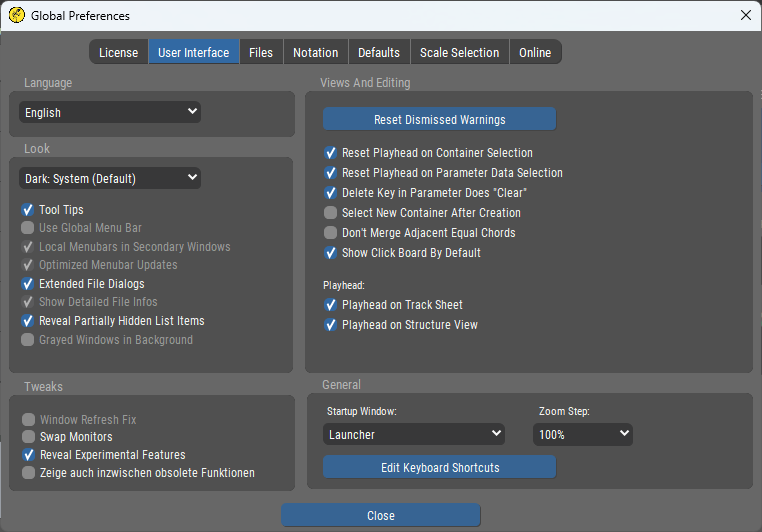
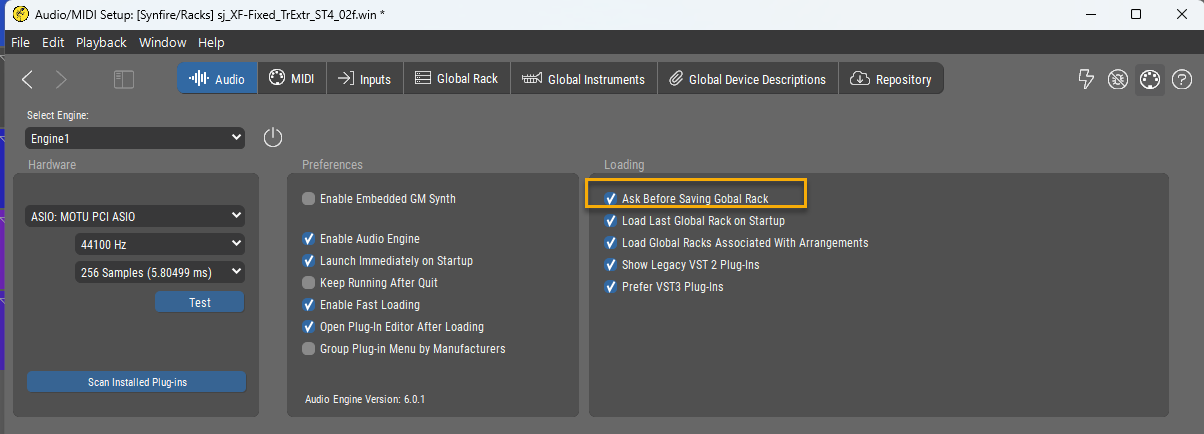
I don't see such a setting
"Ask Before Saving Global Rack" (Audio/MIDI Setup, Audio tab)
I have this disabled and never see this message
Tue, 2026-01-13 - 20:30 Permalink
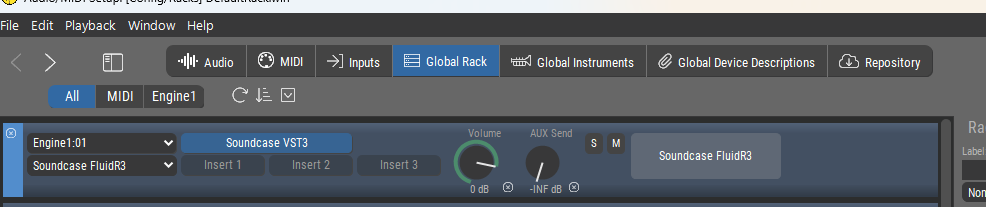
There is no way to log why and where a rack was changed. If you change the volume of a global instrument that also changed the global rack, for example
Wed, 2026-01-14 - 15:57 Permalink
There is no way to log why and where a rack was changed.
You mean the marking of "changed" or "dirty" is an automated function of opaque code libraries used as part of the development?
I would have thought such marking was done by your own code at specific points, but of course, maybe not!
Wed, 2026-01-14 - 16:04 Permalink
Sure, now that I know where it is, I can turn off the message dialog. (Again, thanks for that.)
However, that dialog is an appropriate safety device.
If I know that I have made no changes that would appropriately require saving a new, updated version of the Global Rack, then the dialog lets me decline to overwrite what I don't want to have overwritten.
However, in order to know if I want to overwrite the existing Global Rack file, I need to know what the change(s) actually was.
If I made the change myself, OK, then I know.
However, it is abundantly clear that this dialog reports (purported) changes that I did not make myself.
Not knowing what those changes are is problematic, IMO. As is the situation of not trusting the dialog to be telling the truth because it comes up every time!

Thu, 2026-01-15 - 17:41 Permalink
The function that marks a document dirty doesn't track individual changes. That would make the dialog even more complex and confusing.
I'll take care that this option is disabled by default until we figured out how to make it more useful.
The original idea of arrangements sharing a global rack assumes that the arrangements are closely related (e.g. different parts of a film score). When the user links a completely unrelated arrangement to the global rack (by activating the link switch on the rack's toolbar), that's where a warning should show up. Along the lines of "This rack is already linked to A, B, C. Do you want to link it to D? Or save a copy in a new place?"
Then, it'll be no longer necessary to ask. Just saving the rack whenever it became dirty will do.