

Posted
Hi,
Consider a view of the Progression tab as the song plays:
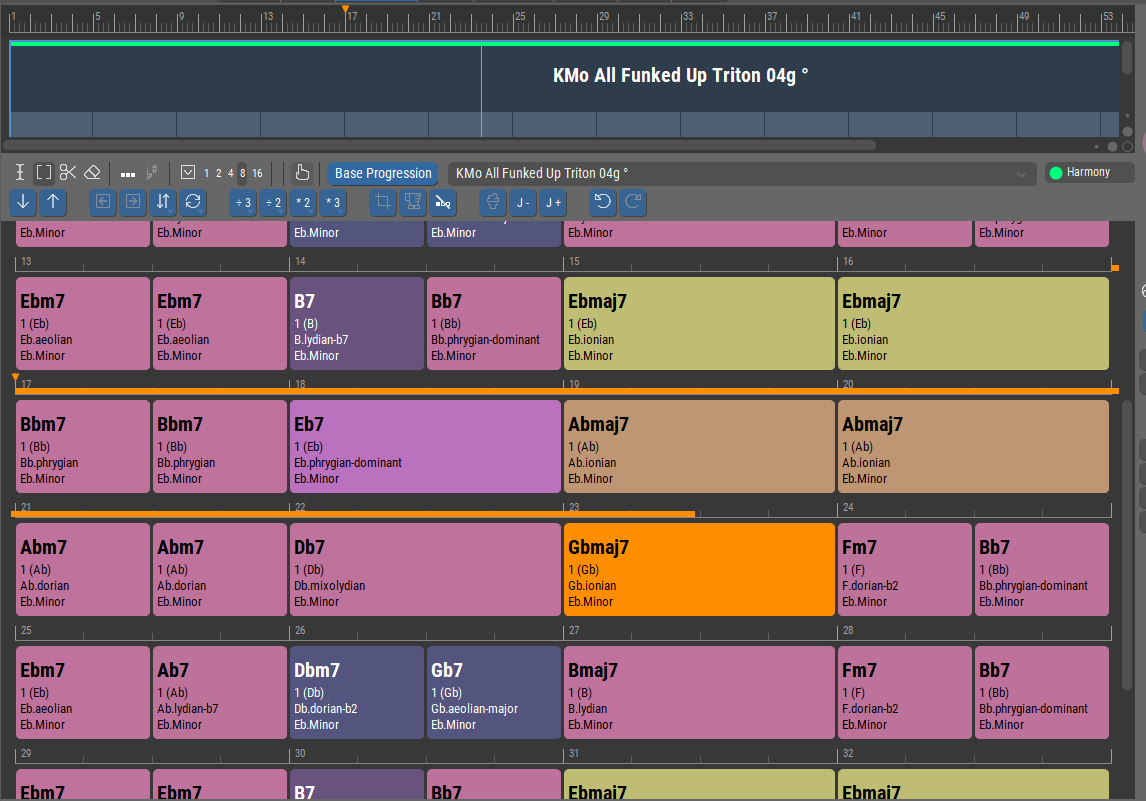
Scroll Views With Playhead is checked.
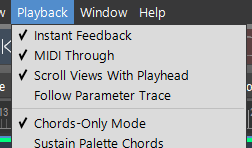
Now, this is an excellent view (to begin with), it's big, bold, colorful, easy to see, includes all of chord/key/scale info, and for the first time thru it tracks the Harmony as playback takes place.
The overall view gives context, the orange block shows you the current Harmony, the advancing orange line indicates the pace - this is all exactly what's desirable when you are recording or playing along with Synfire - and we have it all, right up until the first pass thru the Harmony ends.
Most unhappily, at the loop point the window does not scroll back to the beginning. Our perfect visual cue is lost. So close and yet so far!
Interestingly, if you manually scroll back, you can see the orange block still tracking (but not the orange line, which ceases after the first pass). So, the window remains aware of the Harmony continuing (looping), but fails to scroll, and drops the advancing orange line.
Since the orange block seems to be on-the-job, the most important priority would be to make this window fully scroll-smart wrt. looping Harmony so that the orange block is always visible.
Secondarily, if the orange line could also always track (even after the first pass), that would also be desirable.
Also, this window seems to be tied only to playback of the Structure view.
Much-to-be-desired would be for it to be able to track (the changing Harmonies) along with a Snippets performance as well. 'Course, I guess that means being able to display the tabs in different windows ...
Easy fixes? Difficult fixes? Impossible to do? Please advise. Thanks!

Thu, 2025-12-11 - 09:24 Permalink
It should scroll back to the top, so that's a bug.
The playback progress bar however is correct. Playback does not return to the beginning, whether the Harmony parameters loops or not.
Only physically present parameters can be tracked during playback. That also works with Snippets (if the harmony snippet is selected).
You can open Context, Circle widgets to follow harmony during playback no matter what is being played.
Thu, 2025-12-11 - 14:21 Permalink
Only physically present parameters can be tracked during playback. That also works with Snippets (if the harmony snippet is selected).
I apologize that this is not perfectly clear to me.
Q. What is a "physically present parameter" and what would be a (to coin a term) "physically absent parameter"?
Q. Exactly what is it that "also works with Snippets (if the harmony snippet is selected)."?
Sorry, and thanks!
Thu, 2025-12-11 - 14:31 Permalink
Physically present (colored) as opposed to inherited or otherwise implied (gray). The clip/phrase that actually contains the parameter needs to be selected in order for it to show in color.
Harmony often shows gray when it's merely a continuation of a parent container.
For the widgets try Window >> Harmonic Context or Window >> Circle Of Fifths
Thu, 2025-12-11 - 14:51 Permalink
For the widgets try Window >> Harmonic Context or Window >> Circle Of Fifths
Thanks for the procedure. Now I see these:
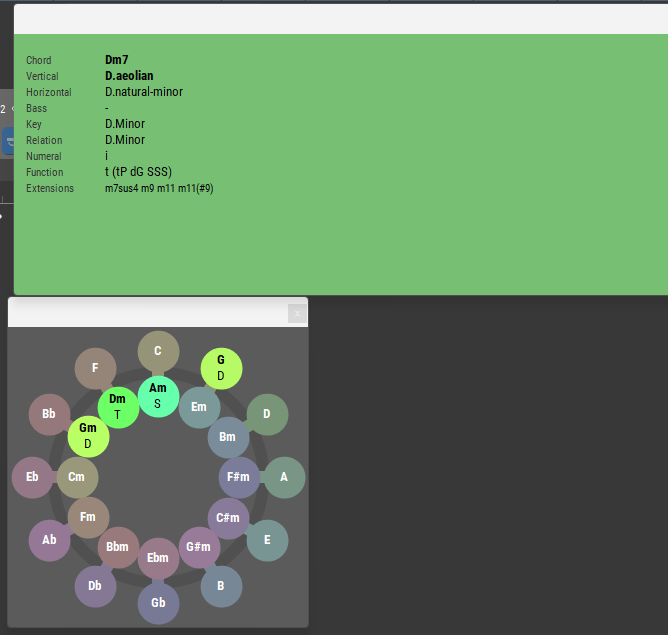
I hope you'll not hate me if I say that upper window, IMO, would be more accurately titled "Harmony, no Context at All".
And the lower window is indecipherable for play-along purposes.
Please reference my praise for the Progression tab at the top of this topic to understand why I say these things.
Would it be possible to create a Window >> Progression ?
This would look just like the Progression tab, but displaying and tracking the currently playing, changing Harmony, regardless of source or selection status of anything, anywhere.
Being a separate window, it could be observed anytime, simultaneously with any of the currently available display options, and with no loss of real-estate in the main window if placed on a different monitor.
As a display-only window (whether that itself is easy or hard to do) it at least would not have to accept interactive inputs or offer tools or ability to command anything else.
Thu, 2025-12-11 - 21:50 Permalink
That thing you see in the widget is actually termed Harmonic Context. Not the context you are looking for though.
The issue with a progression widget is that there's no such progression (globally). Progressions are assigned per container. They can partially overshadow each other. And with real-time playback (snippets, sketches, palette), there is no progression at all.
This context widget is the only way to follow harmony globally across all containers, palettes, etc.
Fri, 2025-12-12 - 01:26 Permalink
The issue with a progression widget is that there's no such progression (globally). Progressions are assigned per container. They can partially overshadow each other. And with real-time playback (snippets, sketches, palette), there is no progression at all.
I think I follow what you are explaining here (and I appreciate it!), but I still don't see (conclude) that the kind of display I'm asking for (or similar) is inherently impossible because of the core architecture.
What I mean is, if the chord (Harmonic Context) is known in realtime (and it is), then the container holding the Harmony parameter defining that chord is knowable, and if that container is knowable (tracked, known), then the harmony/progression of that container (at any given time) would constitute the display I'm seeking.
As a human, I could theoretically click on containers in the structure, or on snippets, at the correct time, in the correct order and obtain a lower-pane display (with moving orange block) that is always current, and offers as much surrounding context as the current container's local harmony parameter provides at the current point in the composition. That's a much better job for the computer to do than for me to do. <g>
In fact, the above would be a different approach from a separate window. IOW, add the possibility for the target of the lower pane to be dynamic as the composition unfolds.
Another useful possibility (so it seems) would be for the target of the lower pane to be lockable, so I could park it on a specific view I want to maintain (for now) instead of having it always follow the latest selection.
So, 3 possibilities for how the lower pane tracks:
- last selected container (static, as now)
- last container as locked by the user (static, new)
- current container, in realtime, from which the current harmony is derived (dynamic)
Fri, 2025-12-12 - 01:32 Permalink
Reprising for the moment the notion of a separate window, it seems that for the case of Structure playback an analysis of the Structure could provide the data necessary for the display of a full-length (calculated) progression for the composition.
I understand that this could not be done in realtime for Snippets themselves being selected in realtime.
Fri, 2025-12-12 - 01:45 Permalink
re: Snippets -
There is is use-case other than realtime dynamic Harmony driven by selecting Harmony snippets.
Consider that the overall Harmony scheme of a piece (the "chart", in jazz terms) could be pre-stored into the Snippets page Harmony parameter. In this case, if we could see the Progression display as we can on the Structure side, then we could in-effect track the tune in realtime.
Consider also that if we save a Snippets performance into Structure (one of the great features already available), then if Structure could be analyzed for overall Harmony/Progression (obviously possible, dare I say?), then that could be chosen to be stored into the Snippets page Harmony parameter. Thus a capture of Harmony from one spontaneous snippets performance could become the "chart" of a future snippets performance.
Fri, 2025-12-12 - 08:13 Permalink
Your feedback and suggestions are very much appreciated. Just in case I didn't say this already.
Harmony can be different per instrument. Layers, playing ranges, interpretation settings, all influence how harmony is compiled. Cramming the resulting global progression into a (very long) display with all loops rolled out would be clumsy, involve constant scrolling, and be hard to follow.
You can use Playback >> Follow Parameter Trace also to follow harmony. It selects the container that provides the current parameter during playback. You can use it for any parameter.
We still need to fix a small glitch that doesn't highlight the first chord after container selection. Also doesn't work on the Tracks page yet, now that you mention it. We might make it work for the Snippets grid, too.
Fri, 2025-12-12 - 20:42 Permalink
You can use Playback >> Follow Parameter Trace also to follow harmony. It selects the container that provides the current parameter during playback. You can use it for any parameter.
If rock-solid, this basic action satisfies. I'm recalling some frustration with it, but will have to be more rigorous in my application/observations of it from here.
One point though, much-to-be-desired when observing Harmony this way - we need a little more assistance wrt. zooming and/or dynamicism.
To wit: I almost always would want all the chords in a new current container to be visible immediately upon entering it. I can make this happen by manually clicking on
this 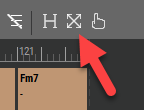 or this
but my hands are needed for other things!
Could we make this automatic (at least optionally) when Playback >> Follow Parameter Trace is on? (at least for Harmony)
The only situation where I wouldn't want to see 100% automatically is when the Harmony list is very long and thus the blocks in the display would be too thin to read the information from.
In this case, we would need to have zoom set to allow readability, while adding automatic support for horizontal scrolling.
We still need to fix a small glitch that doesn't highlight the first chord after container selection. Also doesn't work on the Tracks page yet, now that you mention it. We might make it work for the Snippets grid, too.
Did you just make it work for the Tracks page in v3.0.5?
In any case, yes please, for Tracks and Snippets pages too!
Sat, 2025-12-20 - 19:44 Permalink
Observed, FWIW:
Container on Structure page, with Harmony parameter in it, visually tracks correctly.
Snippet on Snippets page, with Harmony parameter in it, visually tracks correctly.
Harmony coming from Snippets Root displays incorrect visual tracking (ahead of reality)
(same harmony cut/pasted to different containers)