

Posted
I need some help creating this GM (general midi) device description for this Halion Sonic 7 sound module.
What procedure should I follow?
I've already tried to create a GM template, but I haven't succeeded yet.
I think I have now created the correct GM device description for Halion Sonic 7.
The problem is that when a MIDI track is dragged from another programme to a track in Synfire, even with the standard GM sound module in Synfire, it does not play the correct instrument.
Tue, 2025-12-16 - 15:34 Permalink
Well, there is a way to transfer a MIDI track to Synfire via import.
It would have been quicker and easier to drag and drop the MIDI file, but apparently that doesn't work?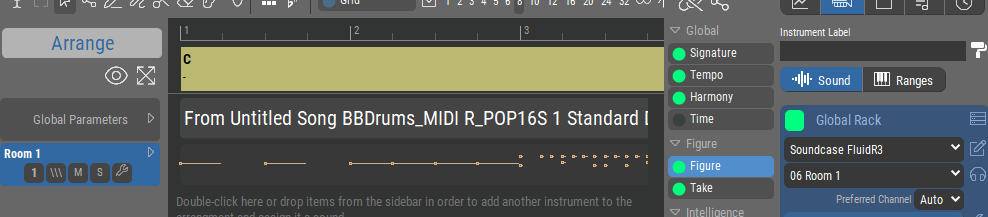
But it is not working yet for Halion Sonic 7 , it's not recognizing the imported midi ?
Tue, 2025-12-16 - 16:00 Permalink
You can drop midi files on a track, although that might work only on the structure page yet.
Tue, 2025-12-16 - 16:02 Permalink
To create a GM device, just greate a new device of the type multi-timbral synth and initialize a soundbank with GM sounds (options menu)
Tue, 2025-12-16 - 17:37 Permalink
Thanks,
"You can drop midi files on a track, although that might work only on the structure page yet"
Drag and drop works as a have written before, but is is not assigning the right GM sounds even to soundcanvas too.
It seems to be correct working with a midifile import in the structure page with Soundcase soundmodule ,but not yet with Halion Sonic 7 in General Midi mode ?
Tue, 2025-12-16 - 18:06 Permalink
"I'm now wondering whether Synfire recognises drag-and-drop MIDI's when I use the Soundcase GM module, because the desired instrument is not selected"
It seems that the drag and drop import is not correct working for General Midi using the Soundcase soundmodule in Synfire?
Can this be sorted out ?
i am stuck with this...
Tue, 2025-12-16 - 21:15 Permalink
Program changes in the midi file dont change the sound of the instrument you import to. Unless you set one on the import dialog
Tue, 2025-12-16 - 21:38 Permalink
This is not about importing a MIDI file via the menu, because that works fine with the Soundcase sound module, but not yet with the Halion Sonic 7 sound module, so that is another problem that needs to be solved.
This concerns dragging a MIDI track GM file from another composing programme to a Synfire track (drag and drop), in which case the GM MIDI file is not recognised by the Soundcase sound module and there is no import screen involved.
So I have two things to solve (MIDI drag and drop file and Halion Sonic 7 not working properly for GM), hopefully that makes it clearer for you ?
Wed, 2025-12-17 - 12:39 Permalink
A video for this would be helpful for creating device descriptions for Halion 7 and Halion Sonic 7.
You then have a device description for fixed channels and for multi-timbral.
I still can't set HalionSonic 7 as a GM sound module in Synfire to replace Soundcase
I also want to import MIDI per track, but Synfire opens in a screen , so that's no use to me.
It might be possible, but I haven't found it yet?
Drag and drop from another programme track to a Synfire track would be the easiest way, but Halion Sonic & GM does not assign the correct instrument for the MIDI file.
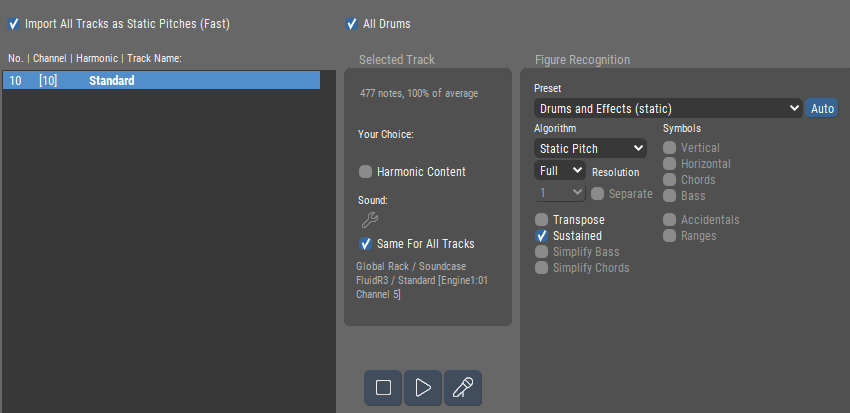
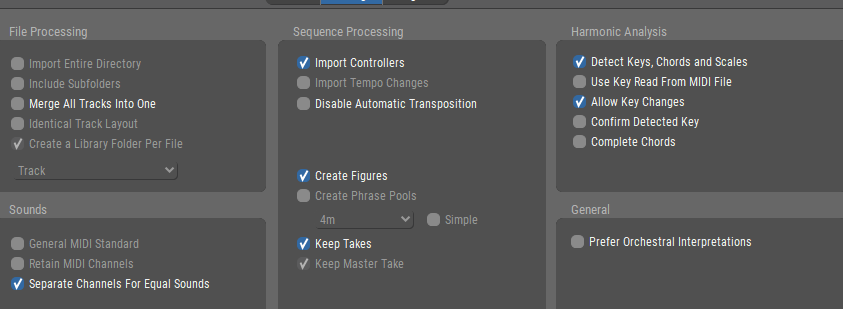
I can't set the instrument when using drag and drop for Halion Sonic 7 GM either, but I can do it via an import screen, where an instrument can be assigned.
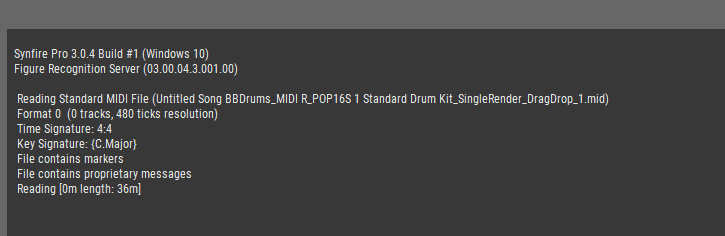
correction : there is a import screen for drag and drop, but now assigning the right GM sound?
It seems that creating a GM device description for Halion Sonic 7 GM mode doesn't work properly after all?


Wed, 2025-12-17 - 16:04 Permalink
Have you turned on the GM mode in halion and loaded a GM soundset into the synth? GM is just a standard for selecting instruments with specific program change messages. Any GM synth will play the same instrument for a given program change, so if it works with one synth and not another, it is probably the other synth isnt setup or doesnt support GM messages.
GM drums are all on channel 10, one drum type per note, so there may not be a program change message in the midi file for the drum track. Lastly, I'm not on the latest version of synfire so things might be different now, but if not going through the midi import dialog (maybe skipped with drag and drop), synfire used whatever instrument was setup on the track already.
Wed, 2025-12-17 - 19:54 Permalink
I have no idea whether I have created the correct device description for Halion Sonic 7 GM mode.
I am currently unable to set the desired instrument directly from the drag and drop MIDI or via the import menu, which is the fastest method for Halion Sonic GM mode.
An alternative method is to load the drag and drop import into Synfire with the wrong instrument, then open the Halion Sonic 7 GM mode Vst3 plugin and select the desired instrument with the correct MIDI number.
This does work for Halion Sonic 7 GM mode.
I can now drag and drop this MIDI per track
Via the import menu, you cannot visually see which MIDI tracks you are importing, but if you want to import one track, you could set the option: merge All tracks into one?
Importing all MIDI tracks at once is easiest, but if de Halion Sonic 7 GM still is not working, then a manual soundassigning possible?
Thu, 2025-12-18 - 19:43 Permalink
I am stuck with this for now
"To create a GM device, simply create a new device of the multi-timbral synth type and initialise a soundbank with GM sounds (options menu)."
1. I tried to create a GM device description for HalionSonic & in GM mode, but I can't get it to work.
2). The drag and drop import for a MIDI file does not allow me to select Halion Sonic 7, but perhaps that has to do with the device description not working.
Note: if HalionSonic 7 is functioning properly, the drag and drop should automatically detect the correct programme number and nothing needs to be selected at all.
Halion Sonic 7 GM mode works fine in Band in a Box 2026, so yes?
Fri, 2025-12-19 - 10:34 Permalink
I would separate out the two tasks.
Make sure you can get Halion sonic 7 working as a GM synth in synfire. Setting up a device description should be the same for any GM synth as the instruments are pre-defined as are the program change messages (that's the point of the gm standard). If you can't get this working then you need to look at your GM setup in Halion sonic. Internet searches show that people having issues are often down to licensing issues with gm sample/instrument packs they load to give halion the gm instrument sounds.
If you want to test drag and drop of GM midi files before you have halion working in synfire as a gm synth, I'd recommend using a different GM (maybe dedicated) synth. Note though that a gm midi file containing a drum track will be on midi channel 10 and won't contain any program change messages on that channel. Channel 10 is dedicated to a drum kit in the gm standard and should be imported as static pitches. The image you showed importing midi was a drum track on channel 10 or the midi wasn't following the gm standard.
As you are hoping to have synfire automatically recognise the gm instruments in a midi file, it has to be a gm midi file (ie contain gm program change messages, drum kit on channel 10, etc). I'm not sure what the effect of changing instruments part way through a track/channel in the file would be on synfire's import, as generally synfire only supports one instrument per track/midi channel. This would also mean merging the tracks into one wouldn't work the way you want it to, you'd possibly have multiple instruments on the same track? Only Andre can explain how this would be handled or someone that has tried it and documented the results.
The other thing that might help is giving more information. It doesn't work isnt a lot of use to people trying to help. What doesn't work, halion doesnt make a sound, it plays the wrong instruments, the instrument list in the synfire drop downs/device description doesn't follow the gm standard? Being a bit more specific might help people to be more helpful. A video of what you are doing and the results would be even better.

Fri, 2025-12-19 - 15:47 Permalink
When you are testing the different sounds in synfire, clicking on the different gm sounds, does halion play the correct sound or is it defaulting to the piano sound? i think you selected breath sound, brass ensemble, etc, did halion sonic play those sounds or just a piano?
Sat, 2025-12-20 - 10:19 Permalink
You did everything right with creating the GM device. Except the VST3 doesn't respond to GM program changes as expected.
VST3 no longer supports MIDI CCs like VST2. I don't remember exactly if that's for MIDI output or also for MIDI input. That might be an issue here. You may need to enable program selection via MIDI somewhere in Halion Sonic's editor?
Make sure the GM bank is checked as "GM" and program changes are sent as MIDI CC. If that doesn't work, send as patch selection. If that also doesn't work, lookup the VST3's documentation how programs (patches) are supposed to be selected other than per the VST3's editor by hand. Let us know. We might be able to add that to the selection methods menu.
Sat, 2025-12-20 - 11:56 Permalink
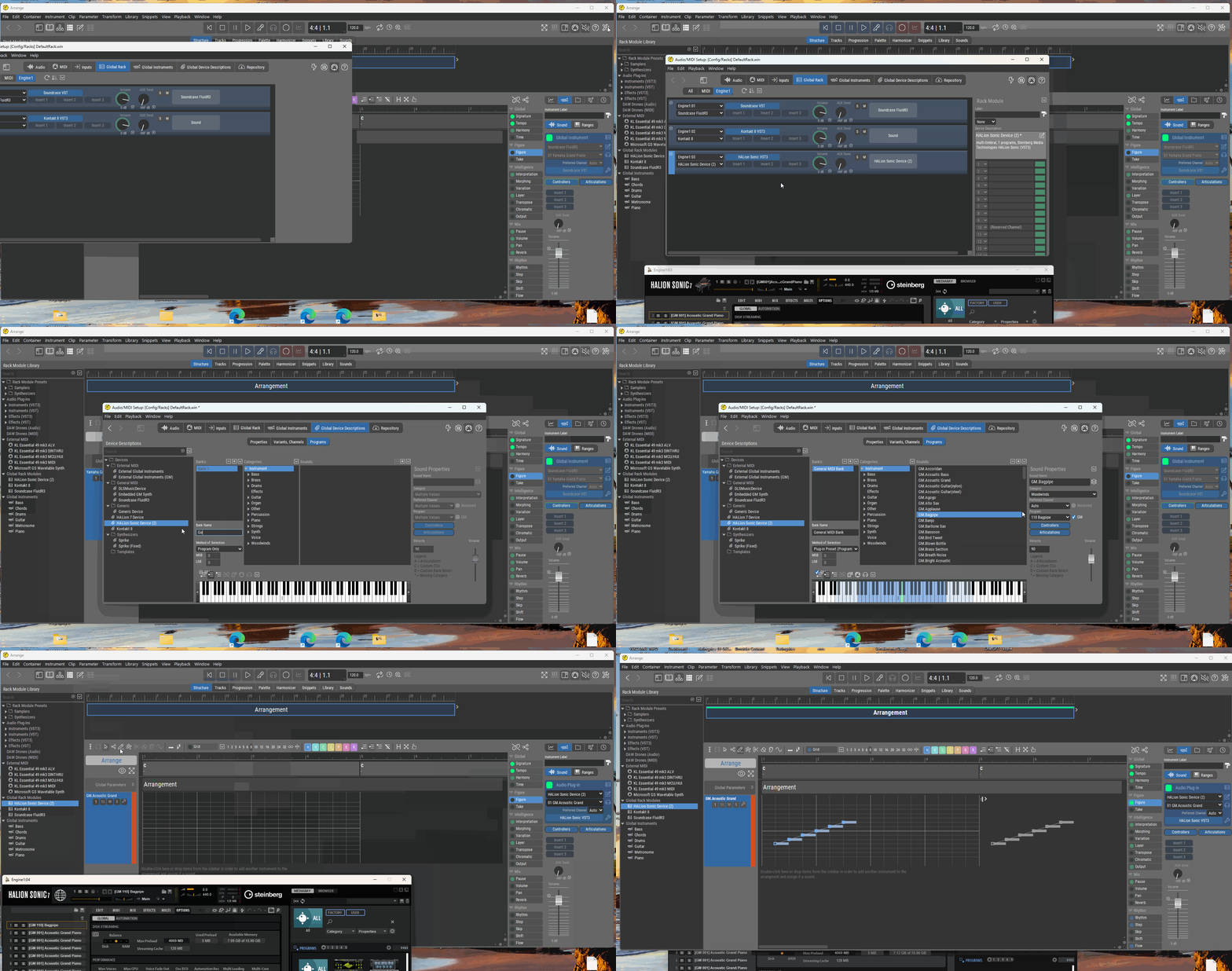
I have the impression that: method of selection: program only works for Halion Sonic 7 GM mode when I import via the menu in Synfire, because Halion Sonic 7 GM can then be selected as the sound module in the import screen.
Drag and drop MIDI does not allow you to select Halion Sonic 7 GM as the sound module via the import screen.
Does this need to be fixed?
Oh, that makes it less necessary to get Halion Sonic 7 GM working for drag and drop import if Soundcase can work with sound fonts.
But if drag and drop import works for Halion Sonic 7 GM, that would be desirable.
Soundcase is a VSt plugin and cannot be used outside of Synfire, I assume?, no, it can be used outside as VST2 with .dll and i just installed it somewhere else and it sounds good ( beter then Halion Sonic GM as it seems)
Oei , a problem with the drumtrack channel 10 it seems to be not working in this other music program ,a pity
Then i must use : Synthfont64 sound module
Sat, 2025-12-20 - 20:09 Permalink
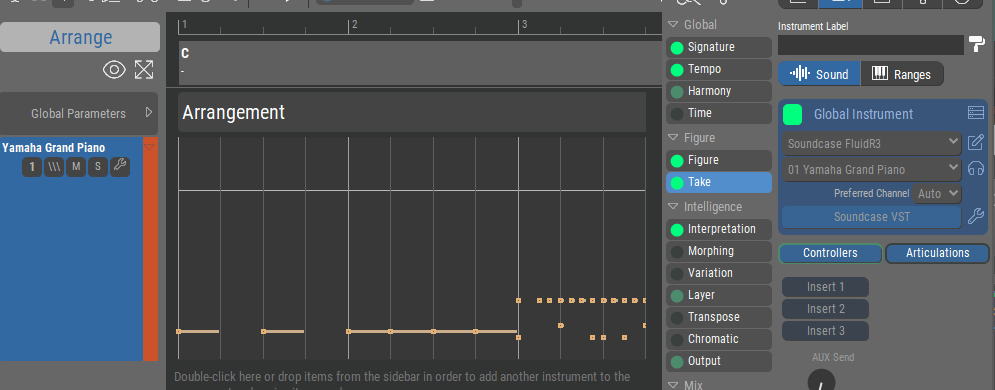
A new arrangement rack is empty. You must create new sounds on the import dialog using the wizard, or they will default to global sounds