

Posted
While I was preparing an older piece for a new tutorial last week, I had to change a couple things with the sound setup, devices, racks, etc. I haven't used the device editor in some time and this was a boon. Because my muscle memory was lost, I noticed how convoluted the process was only because of the UI (thank god I didn't throw my laptop out the window).
So I improved it. Making tutorials based on an obsolete UI is a bad idea. Only a few things had to change that make a big difference.
- Only two tabs 'Properties' and 'Programs' anymore. Settings and variants are now on a single page.
- The devices library (left sidebar) also shows on the 'Rack' tab. You can grab a device and drop it on a module to use it. No more scrolling through deep convoluted popup menus.
- Devices show as folders if they have variants. You can click on a variant to select it, or grab it and drop it somewhere.
- The 'Repository' tab also shows the devices sidebar. Download and upload devices with drag & drop.
- The layout stays put when switching tabs. Navigation feels more calm and is easier to follow.
Update 3.0.7 will include more changes and improvements. No ETA yet (presumably next week). Updated user manuals are already online.
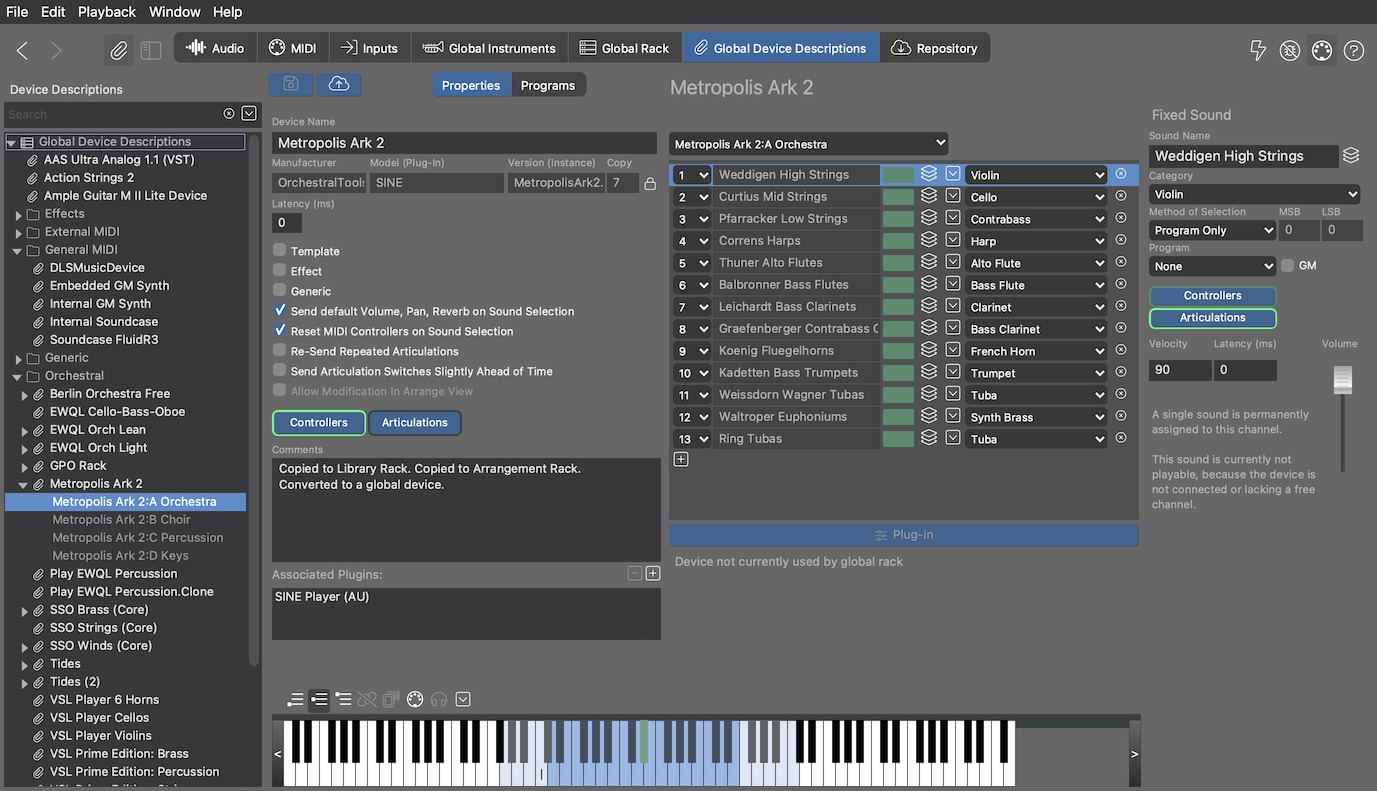
Updated manual pages:
https://docs.cognitone.com/synfire/G3/EN/interface/PartSetupDevices.html

Sun, 2026-07-05 - 06:46 Permalink
This is good, righteous, and proper. Setting up those racks was an painful exercise in arcane wizardry. One more into the breach. Thank's for the UI refresh, or as I like to say: Danke Schoen.

Fri, 2026-10-02 - 12:21 Permalink
This is a very welcome and needed area of improvement...
In current 3.0.8 do we really see these improvements? Can you point to some video or resource that helps streamline. I am not a heavy user and have not enough time to explore, but I really struggle with getting some basic sounds to work. Also I had some dropouts / silenced instruments, and at times I do not know if it is the configuration or the plugin that just lost audio.
Maybe my mac is failing me but I don't know...
Anyway, hope to see these improvements soon!!